Ride your Intervals.icu planned workouts outdoors, on a route that fits
Intervals.icu is good at planning: a calendar of workouts, your fitness curve, and an estimated FTP from your rides. Getting a planned workout onto your bike computer is easy too. What’s left is the road: a 3 × 12-minute sweet-spot session needs three stretches of road where you can hold steady power for 12 minutes, and the calendar can’t tell you where those are.
What Intervals.icu gives you, and what it leaves open
A planned workout in Intervals.icu has a structure (steps, durations, targets) and a date. Intervals.icu can sync it to Garmin or Wahoo so it’s on your head unit on the day. On a trainer that’s all you need.
Outside, the workout and the road meet for the first time when you’re already riding. Whether the first effort starts on a climb or on a busy road through a village is chance, unless you plan the route around the workout first.
Read the workout before you choose a road
Open the day’s workout and look at three things:
- The longest work interval. It rules out more roads than anything else. A 3-minute VO2max effort fits on many short climbs. A 20-minute threshold block needs a long climb or a long, quiet road.
- The target type. Power, heart rate and RPE behave differently outdoors. Heart rate lags at the start of an effort, and power swings on rolling terrain.
- Total duration. It fixes how far you can go, which in turn fixes which climbs are in reach.
Then look for climbs or unbroken flats that last about as long as the work intervals, and put the recoveries where you’d slow down anyway. The guide to planning a route for interval training walks through this step by step.
Zones: one source of truth
If your zones live in Intervals.icu, use them everywhere. Two FTP values in two apps means one of your targets is off. When you pick a tool to build routes, check where it takes your FTP and heart-rate zones from, and point it at Intervals.icu or set the value by hand once.
Connecting Intervals.icu to Gritmaps
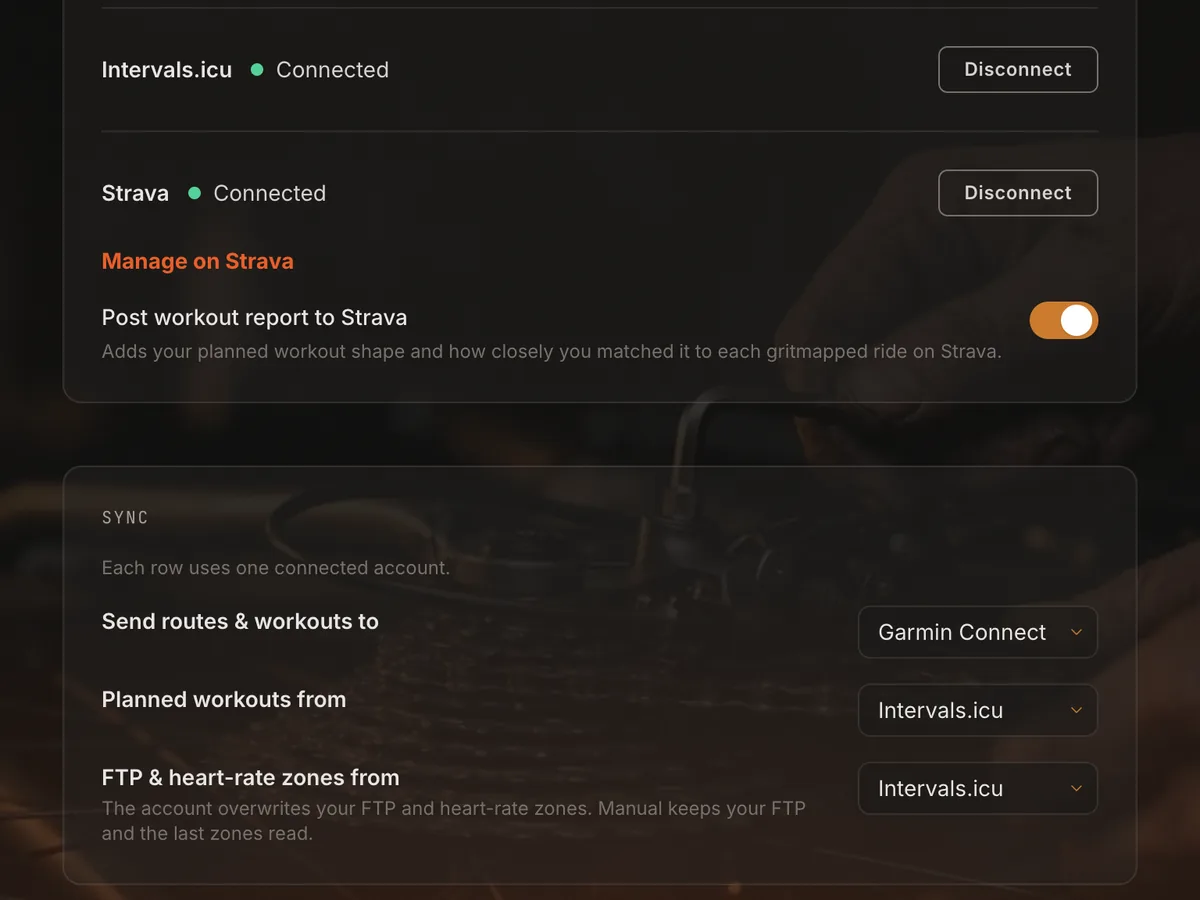
Connect Intervals.icu under Settings → Integrations. Under Settings → Sync, each row uses one account:
- Planned workouts from: choose Intervals.icu. Your planned workouts for the next two weeks appear in the app under Planned workouts, with Today and Tomorrow at the top.
- FTP & heart-rate zones from: choose Intervals.icu, or Manual to keep your own FTP.
- Send routes & workouts to: your Garmin or Wahoo. Intervals.icu is a source here, and Gritmaps doesn’t write anything back to it.
Workouts written in % of FTP use your Gritmaps FTP, which is the Intervals.icu one if you picked it under Sync. Workouts in heart-rate zones, % of LTHR or % of max HR import with your Intervals.icu zones and reach your device in bpm. Steps with absolute watt targets import as written. Pace targets, steps that end at a distance and max efforts come in marked “Not supported” and are ridden as free sections, and the rest of the workout imports as usual.
One workout on the device, not two
If Intervals.icu also sends its workouts to your Garmin or Wahoo, ride day can show two versions of the same session: the original, and the one Gritmaps sent with the route. Ride the one whose name starts with [grit]. Its steps end at distances along the route, so efforts change where the terrain does.
What changes, and what doesn’t
To fit a real road, Gritmaps can stretch or shorten intervals within strict limits for each type. Hard efforts stay close to what you planned, while the warm-up, recoveries and cool-down take up the slack, and power targets are never changed. Your ride uploads from your device to Intervals.icu as usual, so its planned-versus-done view can show a slightly longer warm-up than you planned.
From the calendar to the road
Pick the day’s workout under Planned workouts, set when you ride and where you start, and Gritmaps returns the eight best-scoring routes. They’re scored on how closely the predicted power, with the wind forecast for your start time, follows your targets, whether each interval can be ridden without a break, surface and traffic. A workout you’ve already routed shows a Gritmapped chip.
There’s a thread on the Intervals.icu forum if you want to see what other riders made of it. Generating routes is free. Sending them to Garmin or Wahoo is part of Premium, free during the beta. Create your free account and connect Intervals.icu.